

How Long Does It Take to Write a Storyline?
Teachers often ask me, “How long does it take to write a storyline?” Well, here’s the thing. It varies and as a teacher, I’m sure you know that a lesson/curriculum is never “done.” Alas, this is the beginning of editing (and upgrading) Great Basin National Park (GBNP) storyline.
And to be clear, this is more about editing the completed GBNP storyline than creating it. That’s for a different post.
The Trip That Started It All
I first visited GBNP in 2018. It was a last minute addition to a month long Canada/north west United States road trip. Here’s the thing about GBNP, you have to travel through the middle of nowhere and I mean nowhere to get there. It’s the kind of location where you really need to make sure you have enough gas because there are literally no options for long spans of desert road.
So, why travel all the way to GBNP?
For starters, it’s home to the oldest known living individual tree, named Methuselah. It’s a bristlecone tree and they’re pretty adapted to living in harsh, high altitude conditions.
A Night Sky That Stuck With Me
But what really caught my eye and left a memorable impact was the night sky.
Remember, GBNP is in the middle of nowhere, which is ideal for a great night sky. I’ve seen some incredible night skies in Texas, the Andes Mountains in Chile, and Joshua Tree National Park, but GBNP rivals the best of them.
And that is probably why the Great Basin Observatory made its home within the park. It’s the only national park with a research-grade observatory. GNBP is also recognized by Dark Sky International as a premier International Dark Sky Park.
So maybe the storyline started then, with that unplanned visit in 2018.
Teaching Space
The great thing about being assigned to teach a freshman astronomy class, is that students come in already loving space. They want to learn more about what is out there, how our planet came to exist, and how do we learn about things that are so far away!
Over the years, I led fun, hands-on lessons about the Big Bang, modeling constellations, and create scale Earth-moon-sun models. The individual lessons were fine-tuned over the years, but they lacked the intentional cohesion of a storyline that begins with a phenomenon and works to answer students’ questions.
Writing the Storyline
When brainstorming how this storyline would begin, my mind kept taking me back to viewing the night sky at GBNP. I just knew.
How could the national park that hosts an annual astronomy festival not be the center of this phenomenon?
GBNP was the first space-centered storyline I’ve written. Even with an eager audience, there’s A LOT of information about space to share with students. That meant A LOT of research, along with plenty of double- and triple-checking, went into developing lessons that are not only engaging, but rigorous and focused on understanding rather than memorization.
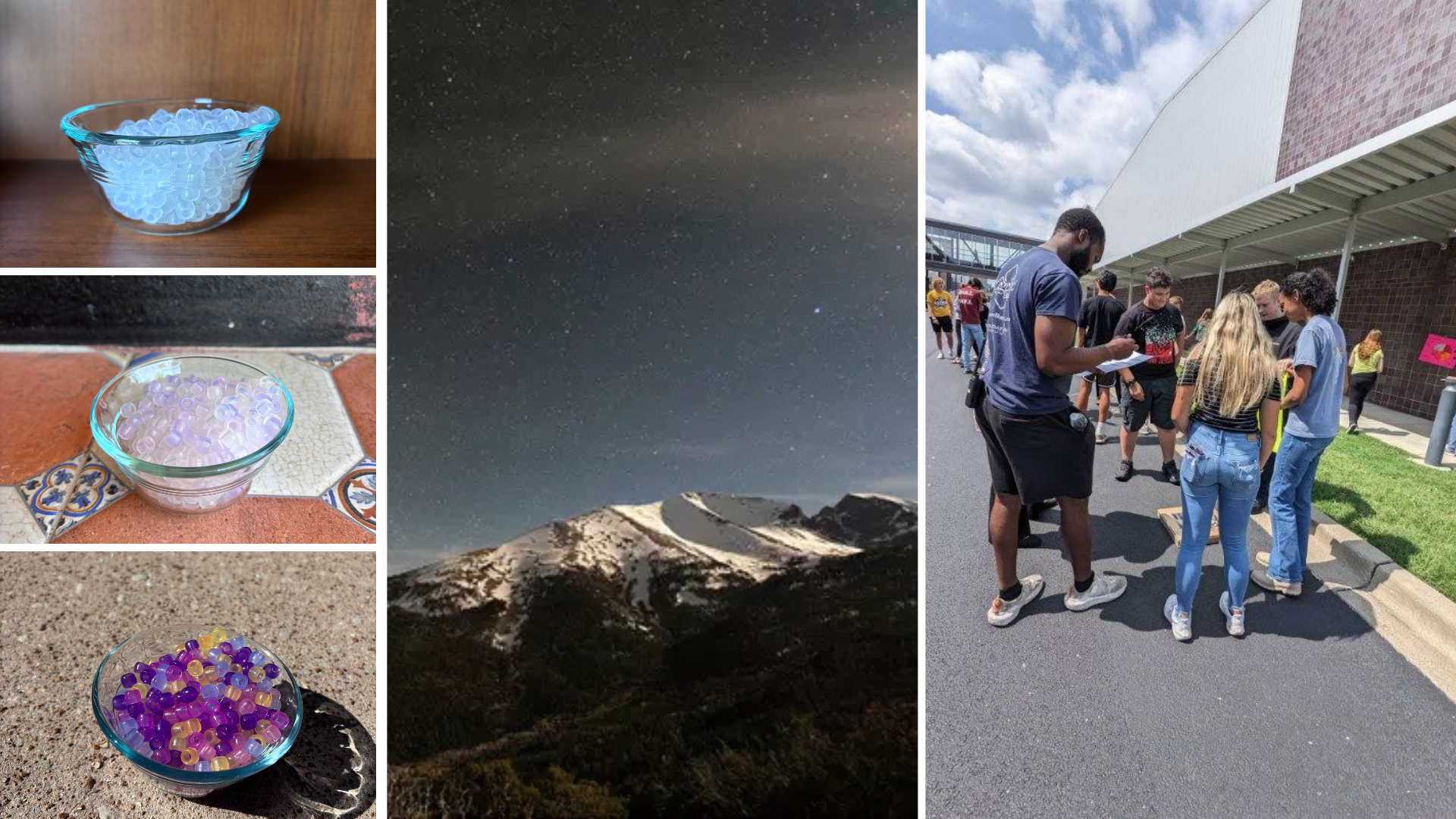
Although I had been teaching astronomy for about six years, it wasn’t until 2025 when I really buckled down and organized GBNP storyline. It was released and ready for the world in April 2025.
So, I suppose you could say writing this storyline was a compilation of seven years of real-world experience, classroom practice, and research.
Editing Upgrading Great Basin NP Storyline
Getting back to the part where lessons are never done; it’s 2026 and time to take the feedback and new ideas and get to editing Great Basin NP. I keep saying “edit,” but it’s actually more than that. GBNP is getting digital alternatives for every lesson, Big Idea and Vocabulary trackers, and a stations review lesson. And that’s just for the students. Teachers will have lab support videos, facilitation tips in the newly formatted teacher guide, and quick PD videos based on teacher FAQs.
Editing Great Basin Goals:
This round of edits upgrades includes the following goals:
- Incorporate updated resources and new lessons
- Ensure NGSS alignment
- Fix any silly mistakes, e.g. grammar, typos (Because I’m human 😆)
- Improve ease of use for teachers and students
Post 2
Editing Great Basin: The Tabs, Checklists, and Brain Dumps
There are SO many moving pieces involved in a storyline.
Of course, there are the published pieces that you (the teachers) see:
- Teacher guide
- Supplemental slides
- Student worksheets
- Printable lab and activity materials
- Quizzes and tests
- Answer keys
But then there is all of the behind-the-scenes “stuff” that you never see. Some of that “stuff” is used in the initial planning phase (like performance expectation cards, but more on those another day), some of it only ever lives in my brain, much of it gets scrapped or saved for later, and then there are the organization pieces. I love me some Google Sheets for this part!
The Spreadsheet That Runs the Entire Storyline
Each storyline gets its own Google Sheet. I use the same template every time. This spreadsheet lives as a permanent tab on my browser throughout the entire process. It’s the giant checklist that keeps track of what’s completed, what needs to be started, and what details still need to be wrapped up. It’s also where I keep all of the components of each bundled performance expectation easily accessible.
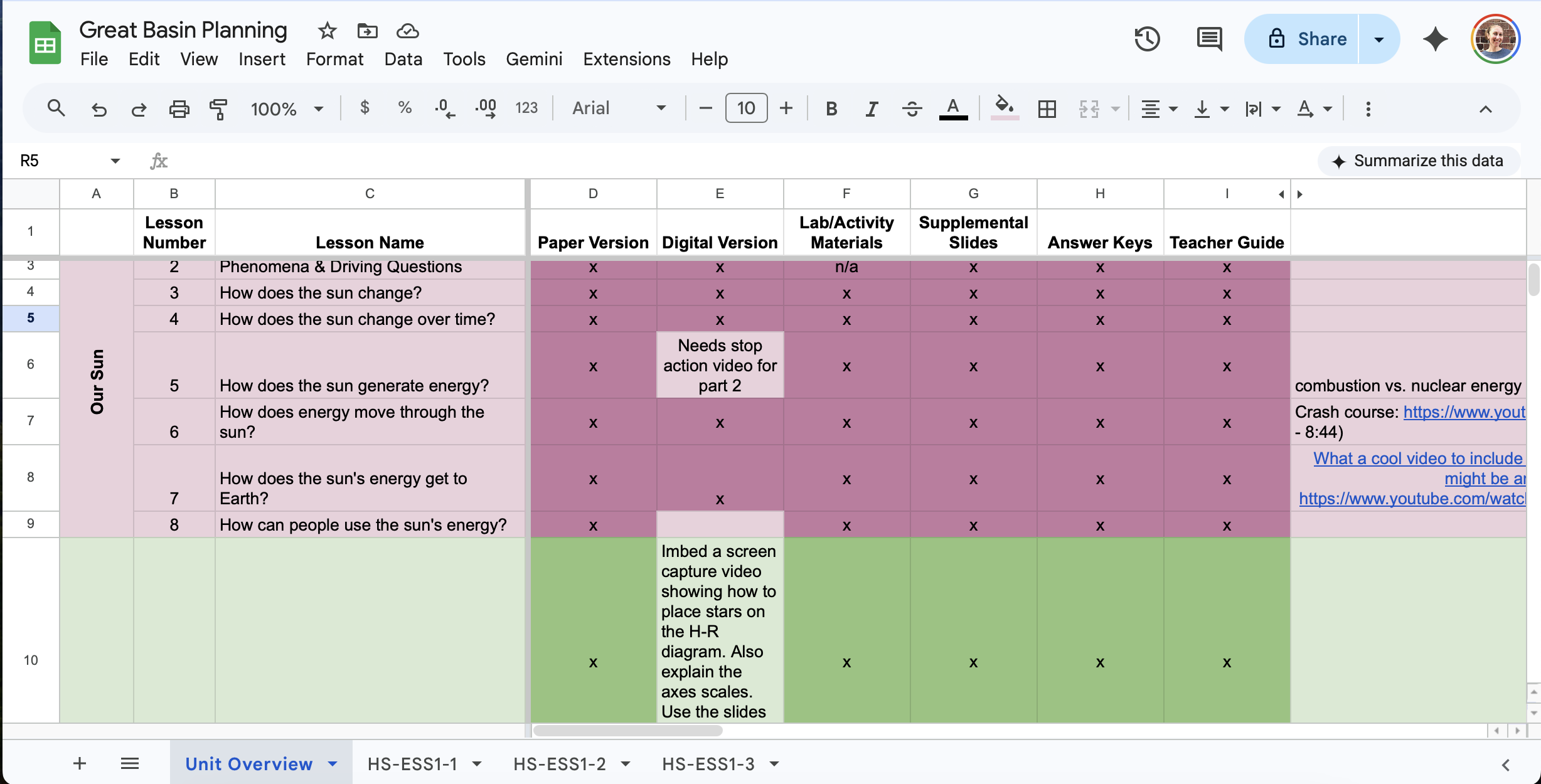
The main sheet is the checklist. Then the other sheets (shown by the tabs along the bottom) are reserved for each performance expectation, broken down in detail.
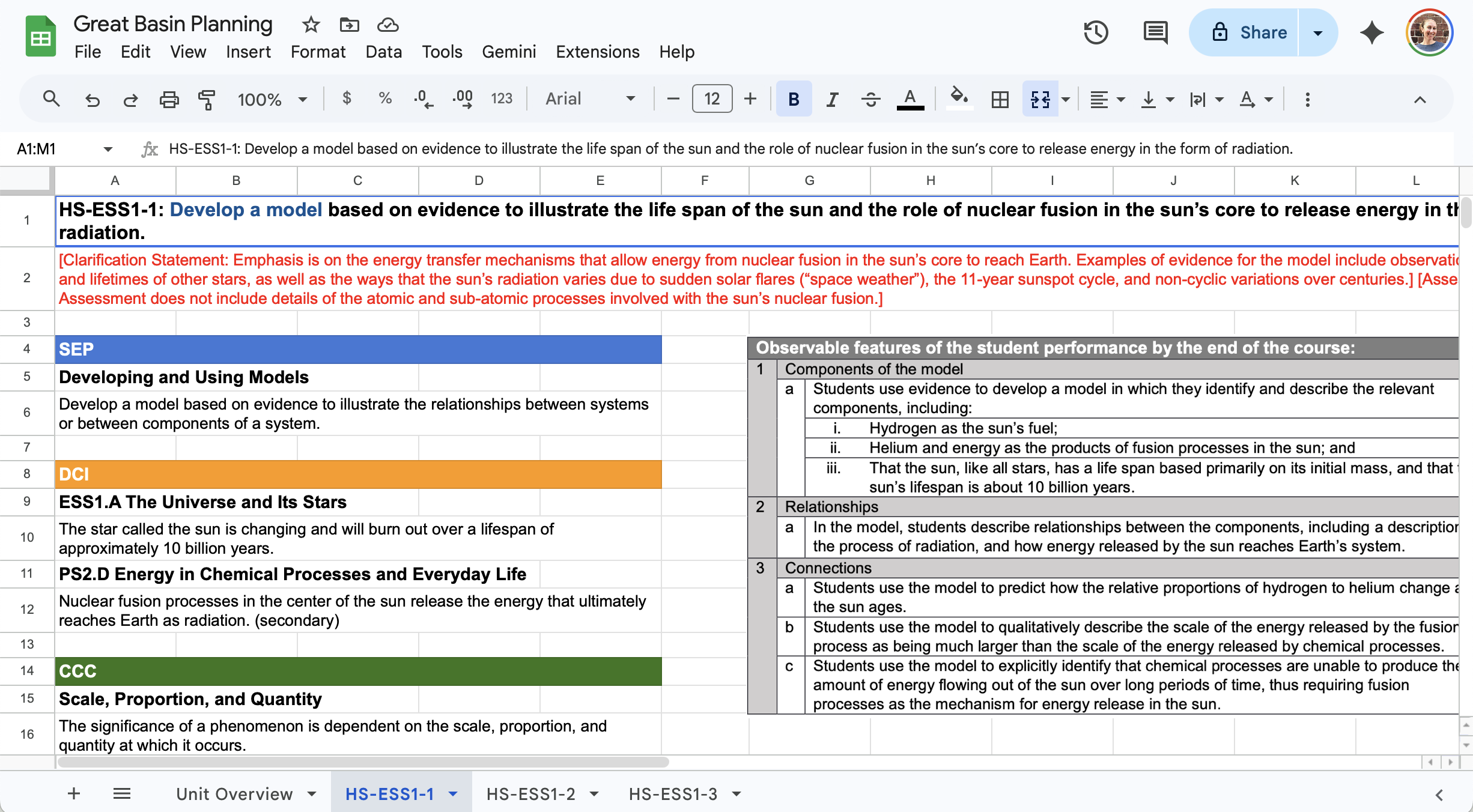
Let’s start with the performance expectation tabs. The performance expectation itself, each specific dimension within it, and most importantly, the observable features are all housed on these sheets. To find this information for yourself, search using a PE code (like HS-ESS1-2) along with “evidence statement.” The evidence statement piece is the key to finding the observable features connected to that performance expectation.
Organized Chaos, But Make It Color-Coded
Back to the main sheet, the coveted checklist. All of the pieces that go out to teachers are coordinated for each lesson on this sheet.
Each storyline is divided into three sets, indicated by the colors pink, green, and purple. Assessments are gray. That’s not a rule about storylines, but it is a style I’ve developed over the years. It works out well to pause for a quiz or project after each set.
The GBNP storyline sets include:
- Our Sun
- All of the Stars
- Beyond the Milky Way
The most rewarding part of the checklist is putting the “x” in the box. When an aspect of a lesson is completed (like the teacher guide or printable lab materials) and that “x” is entered, the box turns a darker shade of its original color. It feels just as good as crossing something off a to-do list.
It’s all thanks to the magic of conditional formatting. I set a rule (for example, text that is exactly “x”), and when that rule is “met” the box changes colors. Watching the sheet light up box by box feels like seeing a piece of art come together.
As part of the upgrades, a new column was added for GBNP storyline planning: Digital. I can’t wait for you to see that column start lighting up!
And then there’s the notes column. It’s my place to hold partially developed ideas, links to websites, articles, and anything else I’m not quite ready to use yet.
Or maybe I never use them.
How Teacher Feedback Shapes the Storylines
What sets Teacher on a Trip apart from other big-name curriculum companies?
Not only are the lessons written and tested by a teacher, but one of the biggest pieces is the communication with teachers. I love the community that has been built throughout the years. There are teachers I’ve eventually met in person after years of interacting through Facebook and email.
In the classroom, when several students have the same question, you know it’s time to rework the lesson. Same situation when I hear similar requests from teachers for clarification or feedback. It’s time to rework the lesson, the teacher guide, or the lesson activity materials.
Some of these upgrades came directly from teacher feedback:
- A place for students to track what they’ve learned
- Review at the end of the storyline
- Vocabulary tracking
- Digital alternatives for all storylines
- More accessible materials list in the teacher guide
Naturally, I needed another spreadsheet for this task.
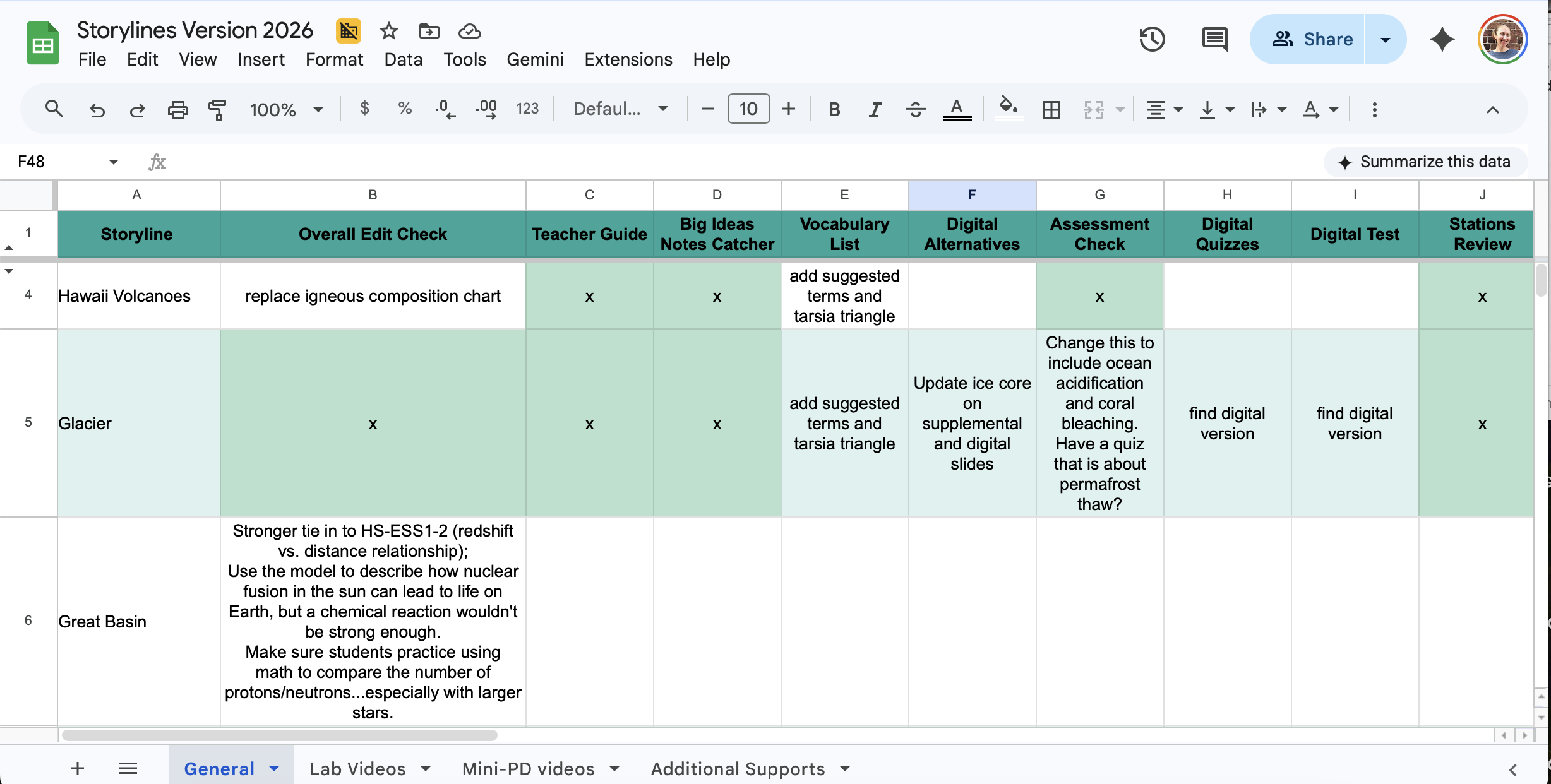
The main tab keeps track of all curriculum upgrades for each storyline. One thing I love about this organization system is that I can leave notes about what still needs to be completed in each box or reminders for things I need to come back to later. Then, when it’s all finished, the same magic “x” completion system is used on this spreadsheet too.
Did you peep those other tabs at the bottom?
- Lab videos
- Mini-PD videos
- Additional resources
I’ll let you in on those further down the line.
To stay on pace for the release of the upgrades, I’m using a batching strategy, which has been shown to be more productive in the long run. I literally “batch” similar projects together and knock them out one after another.
I’m editing each storyline and creating digital alternatives as I go. I also keep track of which labs to prioritize for support videos. Same with the Mini-PD videos, especially as questions about three-dimensional learning have come up over the years.
Once all of the storyline edits and digital alternatives are completed, I’ll finish filming all of the videos.
For videos, the batching strategy is especially helpful because my home office gets transformed into a filming studio complete with lights, microphones, and a tripod.
The “Don’t Forget This Later” Document
You know those ideas that pop into your head when you’re about to fall asleep or while driving?
I toss all of those into this document and don’t think about them again until editing time rolls back around.
If you’ve ever sent me an email with a suggested website or a way that you presented an activity and I told you I’m adding it to my notes, this is where it goes. It lives in this document until it’s time to update the storyline again.
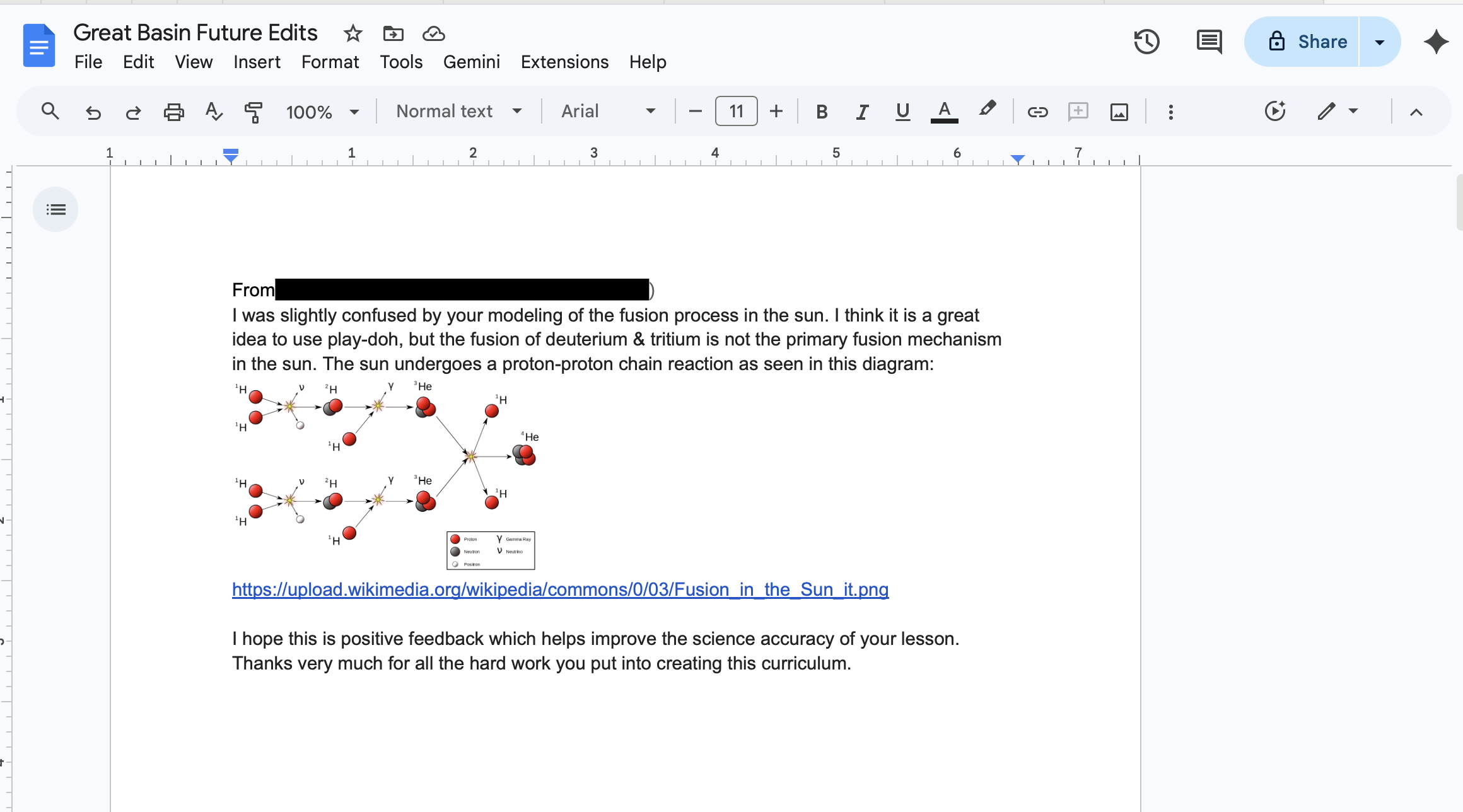
Honestly, I highly recommend this method for your classroom too. Keep a running log of updates and ideas to revisit when future you has more time.
Editing Great Basin: Where the Storylines Actually Live
More Than Just Writing Lessons
When people think about curriculum writing, they usually picture lesson plans, slides, and worksheets.
What they probably don’t picture:
- multiple cloud storage systems
- duplicate files everywhere
- downloaded backups
- version tracking
- website uploads
- and enough folders to make your head spin
But when you’re building and maintaining complete storylines, storage and organization become a huge part of the process.
And honestly? Choosing where to create resources is almost as important as creating them in the first place.
The Main Platforms Behind Teacher on a Trip
When it comes to creating curriculum, there are a LOT of platform options:
- Google Workspace
- Microsoft 365
- Canva
- Adobe
- Keynote
- and about 700 others 😅
I personally use a combination of Canva and Google Workspace, so those are the platforms we’ll focus on most here, along with a little Microsoft 365 comparison since many schools still use it.
Google Workspace
What it includes: Docs, Slides, Sheets, Forms, Drive, Gmail, etc.
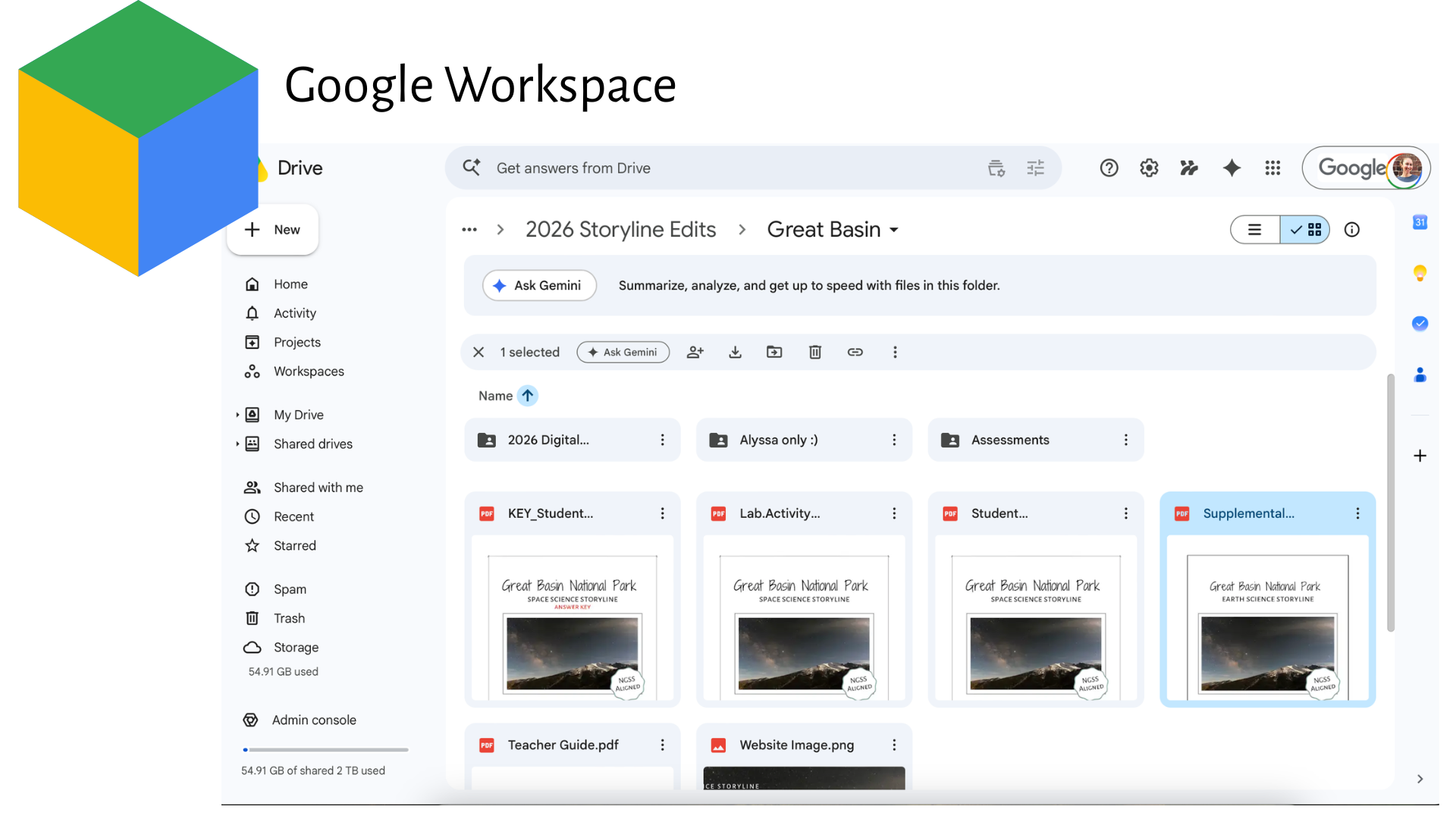
My school district used Google Workspace, so I became really comfortable working within that system. Because Teacher on a Trip eventually grew out of my classroom, it made sense to continue building within a system I already knew well.
One huge advantage is collaboration. Live documents, shared folders, and tracked changes make editing and revising much easier, especially during storyline updates.
Microsoft 365
What it includes: Word, PowerPoint, Excel, OneDrive, etc.
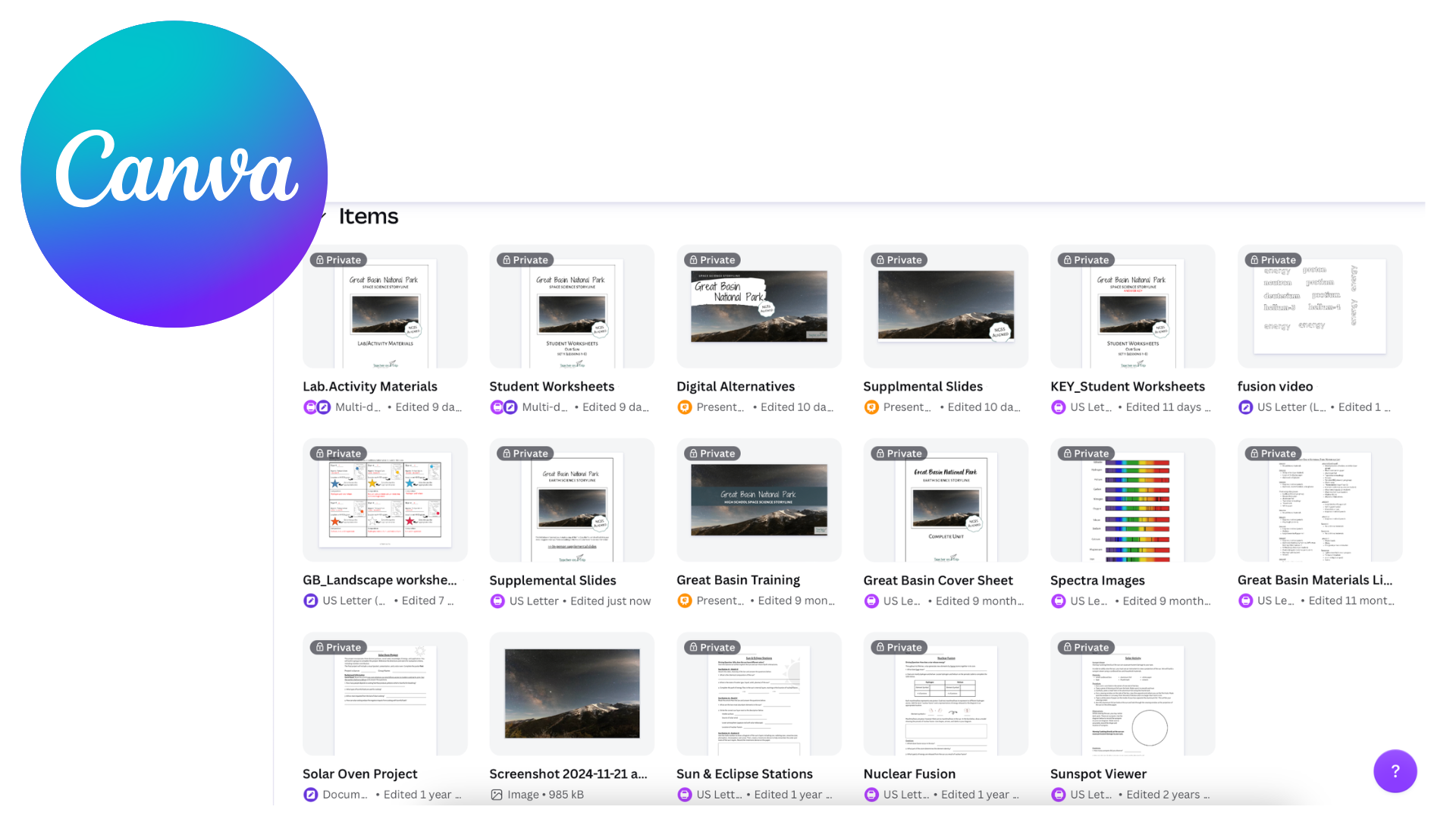
Canva completely changed the game for me when it came to curriculum design. It made it possible to create cleaner, more visual, and more engaging resources without needing advanced graphic design skills.
At this point, almost all printable storyline resources start in Canva.
Why I Use Both Canva and Google Workspace
I actually use a combination of Canva and Google Workspace because they each serve different purposes.
Canva is where I create:
- Student worksheets
- Lab materials
- Assessments
- Answer keys
- Backgrounds for Google Slides
Google Workspace is where I assemble:
- Supplemental slides
- Digital alternatives
- Shared teacher resources
Everything starts in Canva. Then I save a finished version to my computer before uploading it to Google Drive.
That means every single resource technically exists in THREE places:
- Canva cloud storage
- My computer
- Google Drive
And yes… that also means every update has to happen in all three locations 😅
Why Google Drive Powers the Portal
The Teacher on a Trip portal accesses resource links saved in Google Drive because it’s one of the easiest ways to share files with teachers.
When updates are made, the final step is replacing the file connected to the website so everyone has access to the newest version.
Simple in theory. Slightly chaotic in practice.
Why Can’t Everything Just Be Fully Editable?
This is one of the most common questions I get.
And truthfully, both my teacher heart and my business brain answer this question differently.
My teacher heart
I completely understand wanting editable resources.
Every teacher has different preferences for how they structure lessons, slides, worksheets, and activities. Every classroom has different student needs, pacing, and accommodations.
I get it because I used these exact resources in my classroom too.
My business brain
Many of the images, graphics, fonts, and layouts used throughout the curriculum are purchased or commercially licensed specifically for Teacher on a Trip resources.
Those licensing agreements require that the resources are protected and not fully redistributed in editable formats.
So while I try to make resources as flexible and easy-to-use as possible, there are limits to how editable certain materials can be.
The Reality of Editing Great Basin
Sometimes editing Great Basin looks exciting:
- rewriting lessons
- creating new activities
- filming videos
And sometimes it looks like:
- organizing file names
- updating links
- re-uploading PDFs
- checking storage space
- wondering where version FINAL_final_REVISED actually got saved 😅
Both are equally real parts of the process.